
Forgot your password?
No worries. You can log in using a one-time login code and then set a new password.
Log in with a login code
- Open the Customer Dashboard.
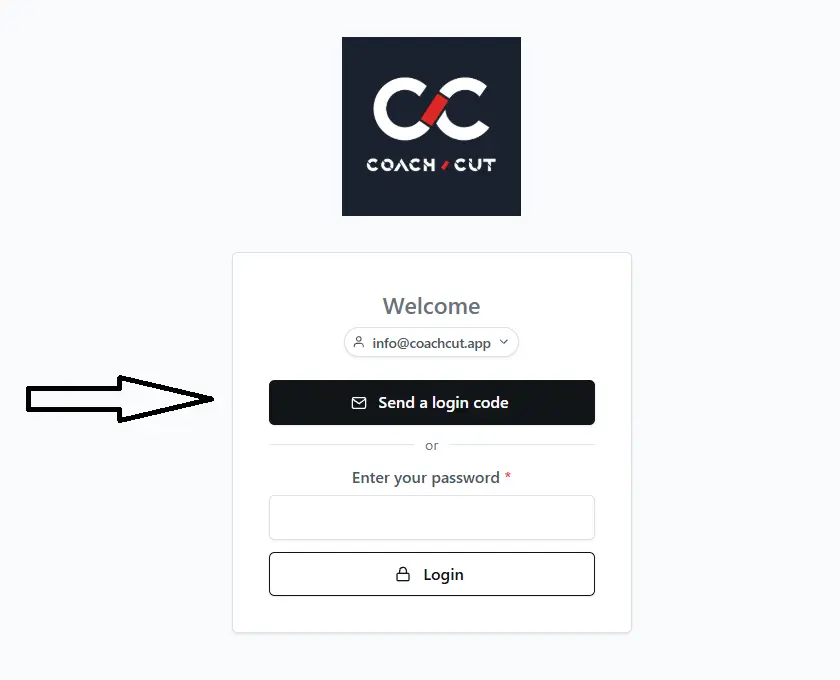
- Enter your email address.
- Click Send a login code.
- Open your email and copy the confirmation code.
- Return to the Customer Dashboard and paste the code.
Done. You are now logged in.
Change your password
After logging in with the code, you can set a new password for future logins.
- You will be on the Customer Dashboard.
- Click Update next to the Account Details section.
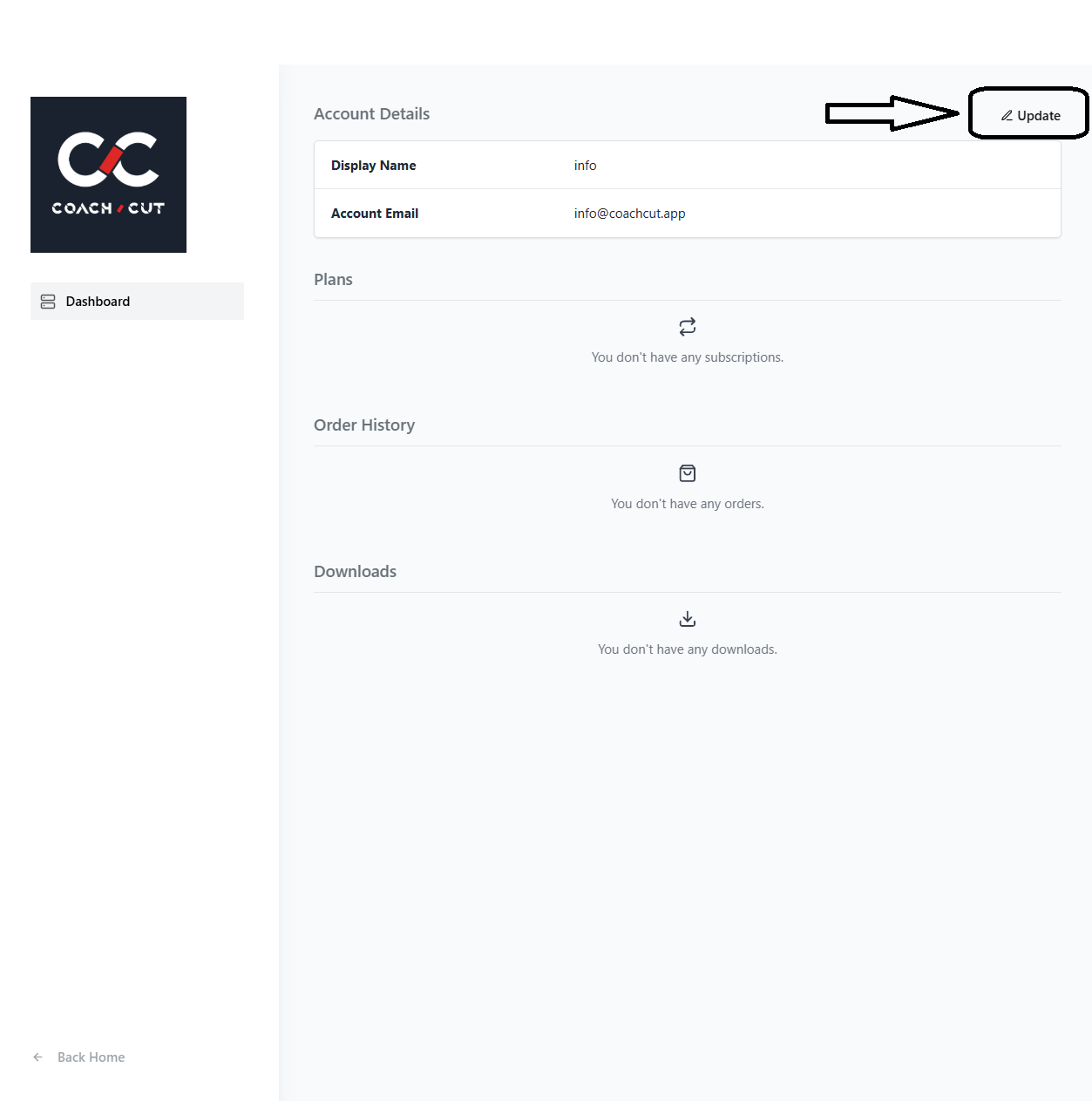
- In the Update Password section, enter your new password, confirm it, and click Update Password.

That’s it. Your password has been updated.
Still not working? Check your spam folder or contact us at [email protected].